
A QR code for your Google Drive file, without the "Request access" screen
Making a QR code from a Drive link is easy. Getting it to open for whoever scans it is where people slip. Here are both ways: by hand, or with PDF QR Conversor, an Android app that uploads the file to your Drive, shares it properly and creates the code.
Make my QR on Google Play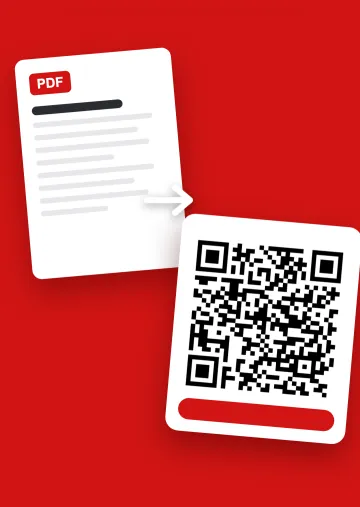
By hand: the steps, and the one everybody skips
- Upload the file to Drive.
- Open "Share" and, under "General access", change "Restricted" to "Anyone with the link", as a viewer.
- Copy the link.
- Paste it into a QR generator and download the image.
- Scan it from a phone that isn't signed in to your account.
Step 2 is the one that gets forgotten. If the file is still restricted, you open it fine because it's yours, but the person scanning sees a screen asking you for permission. That's why step 5 matters: test it the way a stranger would.
From your phone, in one go
With PDF QR Conversor you pick the file, or photograph a paper document, and the app does the rest: it uploads it to its own folder in your Google Drive, shares it so anyone with the link can open it, and hands you the code ready to save to your gallery, share or print.
- It only sees what it creates. The app can see the files it uploads, never the rest of your Drive. Google asks for permission just once.
- Any kind of file. PDF, photos, Word, Excel, PowerPoint, audio, video, text or zip.
- Several files, one code. With PRO, if you pick several, they go into one Drive folder and the code opens the folder with all of them.
What the person scanning sees
The file opens in the Google Drive viewer, in their browser, with nothing to install and no sign-in. If it's a folder, they see the list of files and open the one they want. If you'd rather only some people see it, or stop them downloading it, you change that with PRO under "Privacy and access".
Common Drive QR code problems
It asks to sign in or to "Request access"
The file isn't shared with "Anyone with the link". Fix that in Drive and the same code works again.
It used to work and now it doesn't
The file was deleted, its access was restricted, or a new copy was uploaded instead of replacing the original. A new copy gets a new link, and the printed code still points to the old one. To change the content without changing the link, see how a dynamic QR code works.
It's slow to load
Very heavy files or long videos open slowly on mobile data. If you can, shrink the file before uploading it.
Common questions
Does the person scanning need a Google account?
No, as long as the file is shared with anyone who has the link, which is how the app leaves it. They only need one if you choose specific people.
Does it use my Drive storage?
Yes, the file is saved in your account and counts toward your storage. If there isn't enough space, the app tells you before uploading.
Can I make a QR code for a Drive folder?
With the app, yes: pick several files and they all go into a folder behind a single code. It's a PRO feature.
Can the app see my other Drive files?
No. It can only see the files it creates.
Is there a desktop version?
No. The app is for Android phones. The codes it creates open on any phone.